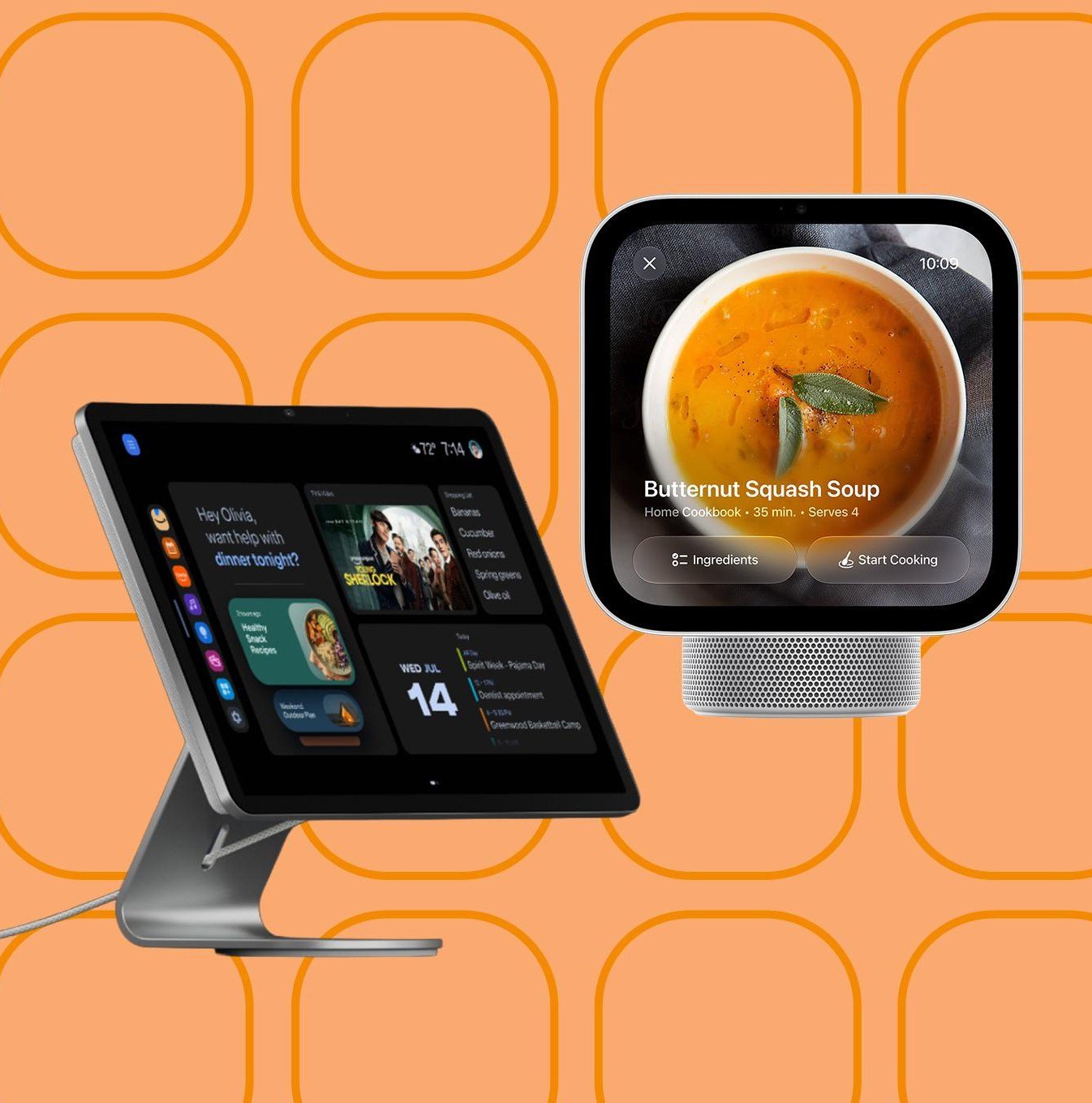
Planning a reliable smart display installation in Singapore turns scattered smart gadgets into an organized command center for your entire property. Recent hardware releases like the Apple HomeView and Amazon Echo Show 16 highlight how wall-mounted touchscreens are replacing individual smartphone apps as the primary interface for smart homes and offices. When family members or office staff walk past a shared screen, they can check security cameras, adjust air conditioning zones, and view delivery schedules in seconds without pulling out personal phones.
Mounting a permanent display in Singapore properties brings distinct installation challenges. Standard residential and commercial units feature heavy reinforced concrete structural walls and dense partition boards. Dropping power cables through solid concrete requires neat surface trunking or recessed back boxes cut cleanly into masonry. Leaving transformer bricks and black power cords dangling down a living room wall looks untidy and creates snag hazards. Professional installers conceal low-voltage DC transformers behind recessed electrical enclosures, feeding clean five-volt or twelve-volt power directly into the rear mounting bracket.
Planning Smart Display Installation in Singapore for Clean Wall Mounting
Choosing between a dedicated tablet-style controller and a large smart display depends on your room layout and daily workflow. As covered in recent reviews on The Verge, screen sizes from 10 inches to 16 inches serve very different purposes. A compact 10-inch screen fits well near an entrance foyer or kitchen pantry, offering quick buttons for entryway lights, smart door locks, and intercom calls. A 16-inch display functions best in an open dining area or office reception, showing floor plan maps, weather forecasts, and calendar feeds simultaneously.
Viewing height and angle dictate how often people actually interact with the system. Setting the screen center roughly 145 centimeters above the finished floor allows adults of varying heights to tap controls comfortably without bending down or craning their necks. Avoid placing glass panels directly opposite unshaded west-facing windows, where afternoon tropical glare washes out contrast and generates excess heat behind the display housing.
Cabling and Low-Voltage Power Routing in Concrete Walls
Reliable power delivery forms the foundation of any permanent smart display installation in Singapore. Battery-powered tablets eventually suffer from swollen lithium cells when left on continuous charging. Wall-mounted smart displays run on direct power supplies, requiring permanent mains connections. During renovation or retrofit stages, our technicians cut neat chases into concrete or tap into nearby switch boxes to house well-insulated step-down converters.
For locations where mains wiring is difficult to extend, structured Cat6 data cabling provides a clean alternative. Running a dedicated network line from your central rack to a Power-over-Ethernet (PoE) splitter delivers steady operating wattage while eliminating AC wiring hurdles. This structured approach pairs smoothly with comprehensive on-site cabling and trunking services, ensuring all wiring runs stay hidden inside conduit or color-matched slimline trunking along skirting boards.
Network Backbone and Multi-Protocol Hub Coordination
A wall display is only as responsive as the local network feeding it. Smart displays demand stable connectivity to pull real-time video streams from IP cameras and sensor statuses from Matter or Thread accessories. Thick reinforced concrete walls and household bomb shelters severely attenuate 5GHz Wi-Fi radio frequencies. If your display sits two concrete partitions away from your router, tap responses will lag and video streams will buffer.
Connecting your primary smart display to a hardwired network drops latency to near zero. Where Wi-Fi remains necessary, deploying ceiling-mounted access points with separated 2.4GHz and 5GHz virtual local networks (VLANs) isolates smart hardware from heavy bandwidth consumption like video streaming or large downloads. Pairing local touch panels with engineered integrated smart building solutions keeps door access events, CCTV feeds, and environmental sensors communicating reliably across local network subnets.
Preventive Maintenance and Long-Term Operation
Dust buildup, heat retention in enclosed wall cavities, and software sync glitches can degrade touch responsiveness over time. Proper preventive maintenance involves scheduled firmware updates, cleaning fanless passive cooling vents, and recalibrating touch digitizers. Technicians verify that display sleep timers activate during late night hours, preventing OLED or LCD burn-in on static dashboard widgets.
Setting up scheduled system health checks prevents unexpected disconnects between the display and perimeter sensors. If you want a tailored setup for your home or commercial space, contact the Synoviz WhatsApp at +65 8933 1660 or email sales@synoviz.com to arrange an on-site survey and deployment plan.